
Bolt: Request a Ride
Bolt TechnologyMaps & Navigation
4.88.30K Reviews
- Version
- CA.233.0
- Installs
- 100.00M
- Age Rating
- Everyone
Screenshots


Our Review of Bolt: Request a Ride
 Analysis by Appyee
I find Bolt: Request a Ride most useful when getting from one place to another depends on timing, not just distance. A ride-hailing app can make that journey easier, but the experience also relies on a working connection: you need to enter trip details, request a driver, and follow the pickup as it develops. Bolt is a Maps & Navigation app from Bolt Technology, and I think it works best when you treat it as a practical option alongside public transport, walking, or a local taxi—not as a guarantee that a car will always be immediately available.
Getting Started with Bolt
First off, downloading and setting up Bolt is a breeze. Available on both Android and iOS, it’s a quick install from the app store. Once downloaded, you’re just a few taps away from setting up your account. The app prompts you to enter your phone number, and after a quick verification, you’re ready to roll. It’s all pretty intuitive, which I appreciate, especially when you’re in a rush and need a ride pronto.
Features That Stand Out
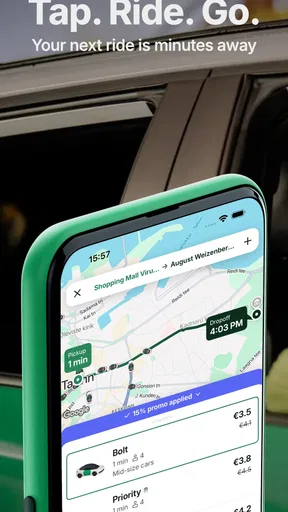
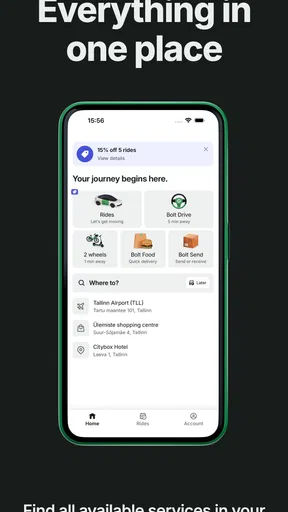
Now, what makes this app tick? One of the standout features is the ease of booking a ride. You simply input your pick-up and drop-off locations, and the app does the rest. The interface is sleek and minimalistic, making it super user-friendly. The real-time GPS tracking is on point, allowing you to monitor your driver’s progress toward your location.
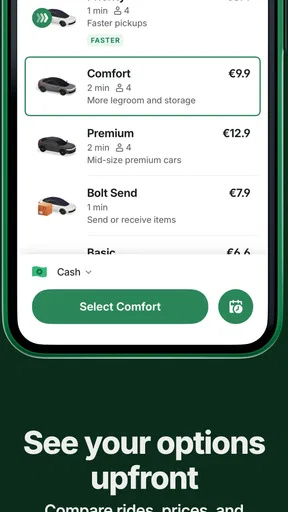
Another cool feature is the fare estimator. Before you even book the ride, you can check how much it’s going to cost, which is fantastic for budgeting. No more surprise charges at the end of your journey!
Riding with Bolt
Once you’re in the car, the experience is generally smooth sailing. Drivers with Bolt are courteous and professional, and the vehicles are well-maintained. The app even lets you rate your ride and driver, ensuring quality service is upheld.
Payment options are flexible, allowing you to pay via card, cash, or even through mobile payment services, depending on your location. This flexibility is a huge plus in today’s digital age.
Planning Around the Connection
On a normal trip, I’d open the app before leaving a building, check the pickup point, and confirm the destination while I still have a steady connection. That small bit of preparation matters in a crowded station or unfamiliar street, where it is easy to stand on the wrong side of a large block. If a map pin lands somewhere awkward, I’d adjust the pickup location before requesting rather than expecting a driver to guess which entrance I mean.
A ride request is a live exchange between your phone, the service, and a nearby driver. That makes Bolt different from a paper timetable or a route you have already saved in a navigation app: it can respond to a current request, but the process is less dependable when reception is weak or mobile data is unavailable. I would not plan on completing a new booking without a connection. For a journey where signal is likely to be patchy, I’d arrange a backup before I need to move.
Useful in Different Mobile Situations
Bolt makes the most sense for short urban trips, airport or station connections, and late finishes when walking or waiting for another service is inconvenient. One realistic example: after dinner in a neighborhood I don’t know, I can set the destination while indoors, check the quoted fare, then walk to a clearly identified pickup spot and watch the approach. The useful habit is to settle the details before stepping into a noisy, busy street instead of trying to type while moving through a crowd.
It can also help when plans change. If a train is delayed or a meeting ends early, I can compare the ride option with the remaining public transport journey instead of committing to a route out of habit. But I would not assume a car is the best answer for every trip: a direct train may be more predictable at rush hour, and walking can be simpler for a short distance when traffic is slow. Bolt is a choice for flexibility, not a substitute for checking the whole route.
When a Request Stalls
When a request seems slow, I’d first check the basics: is the pickup pin in the right place, is the phone connected, and am I standing somewhere a driver can actually reach? Repeatedly tapping the request button is unlikely to solve a location or signal problem and can leave me uncertain about whether a request went through. I prefer to pause, verify the trip status, and only then decide whether to try again or switch plans.
Weak reception can make the most important moment—the handoff between requesting and meeting the driver—more stressful. I’d keep the phone accessible, avoid letting the battery run low before a late trip, and choose a visible meeting point where stopping is practical. If the pickup is unclear or the wait is no longer workable, the sensible recovery is to reassess rather than rely on a moving map alone. For a time-critical appointment, I’d leave enough slack to use another transport option.
Data, Cost, and Choosing an Alternative
Because the app depends on location and trip updates, using it involves more than a quick glance at a static map. I’d open it when I’m ready to travel rather than leaving it running unnecessarily, and I’d enter the destination carefully to avoid extra back-and-forth while the connection is doing the work. Someone watching mobile data closely can reserve app use for requesting and tracking the ride, then use a familiar offline plan—such as a written address or a transit route they already know—for the rest of the journey. That is a sensible precaution, not a claim that Bolt works without internet.
Compared with a conventional taxi, Bolt gives me an app-based way to specify the trip and follow the pickup, while a street hail or phone booking may be more useful when I have poor data access or need to speak directly with a dispatcher. Compared with public transport, it offers a direct ride but may be less attractive when traffic is heavy or a reliable route already serves the destination. The fare estimate helps me judge the choice before booking, though I still weigh convenience against the alternatives rather than treating the estimate as the only factor.
Who It Suits—and Who May Prefer Something Else
I’d recommend Bolt to someone who often travels around places where the service is available, has dependable mobile connectivity, and values being able to request a car from a phone. It may be especially convenient for visitors who want a direct trip without working out every local transit connection, provided they check the pickup point carefully. Its broad adoption is reflected in more than 100 million installs and an average rating of 4.8 from around 10 million ratings, though those figures do not tell me whether a car will be available on a particular street at a particular hour.
I’d be more cautious if I lived or travelled somewhere with limited coverage, regularly have unreliable reception, or need a ride at a strict time with no backup. In those cases, a local taxi arrangement or a scheduled public transport route may be easier to plan around. The app is free to download, rated for Everyone, and its current version is CA.212.0; it was released on July 19, 2013 and requires Android 7.0 or later. These basics make it accessible to many users, but local service availability and the quality of a particular trip still matter more than the download itself.
Why Choose Bolt?
So, why should you choose Bolt over other ride-hailing apps? For starters, Bolt often offers promotions and discounts, which can make your ride cheaper than competitors. Also, if you’re an eco-conscious rider, you’ll appreciate their focus on sustainability, with electric and hybrid vehicle options available in certain cities.
Let’s not forget about safety. Bolt has a feature that allows you to share your ride details with friends or family, so they know exactly where you are. It’s a nice touch that adds an extra layer of security.
Room for Improvement
Of course, no app is perfect. There are a few areas where Bolt could step up its game. For one, the availability of rides can sometimes be an issue, especially during peak hours. While this isn’t unique to Bolt, it’s something to keep in mind if you often find yourself needing a ride during busy times.
Additionally, while the app covers many cities, there are still areas where Bolt’s presence could be stronger. Expanding their network would make it a more comprehensive option for travelers worldwide.
Final Thoughts
All in all, Bolt: Request a Ride is a solid choice for anyone looking for a reliable and cost-effective ride-hailing service. Its user-friendly interface, competitive pricing, and commitment to safety make it a standout in the crowded ride-sharing market. Whether you’re a city dweller or just visiting, Bolt could very well become your go-to app for getting around. So next time you’re in a pinch and need a ride, why not give Bolt a try? You might just find it’s the perfect fit for your transport needs.
My Connectivity Verdict
For me, Bolt’s best quality is the way it brings the request, pickup, and journey details together when I have a stable connection and a clear place to meet. The trade-off is that this convenience depends on timely updates, so I would not make it my only plan in a low-signal area or when being late would have serious consequences. Before confirming, I’d check the destination, pickup position, estimated fare, and whether another option is available if the request takes longer than expected.
There are also a few practical questions worth settling before the first ride. Can I use it for every trip in every town? No: I would first make sure the service operates where I am, since coverage varies. Is it a good choice for someone without reliable mobile data? It is less suitable, because requesting and following a live ride rely on connectivity. Should I choose it over a bus or taxi automatically? I wouldn’t; I’d compare the fare and convenience with traffic, transit schedules, and the urgency of the trip. That simple check is what turns Bolt from a rushed button press into a useful transport decision.
Privacy and Permissions
See what permissions an app requests and how it handles your data.
- Calendar
- read calendar events plus confidential information, add or modify calendar events and send email to guests without owners' knowledge
- Location
- approximate location (network-based), precise location (GPS and network-based)
- Camera
- take pictures and videos
- Microphone
- record audio
- Wi-Fi connection information
- view Wi-Fi connections
- Other
- view network connections, pair with Bluetooth devices, access Bluetooth settings, measure app storage space, full network access, change your audio settings, control Near Field Communication, run at startup, control vibration, prevent device from sleeping, Google Play license check, read Google service configuration
Verdict
Strengths of Bolt: Request a Ride
- User-friendly interface, easy to navigate.
- Competitive pricing compared to other apps.
- Wide availability in many cities worldwide.
- Offers a variety of vehicle options.
- Strong focus on driver safety and reliability.
Limitations of Bolt: Request a Ride
- Limited payment options in some regions.
- Customer service response can be slow.
- Occasional surge pricing during peak times.
- Some cities have fewer drivers available.
- App may crash on older devices.
Similar Picks in This Category
View All
Uber - Request a ride
Uber Technologies, Inc.4.7


inDrive. Rides with fair fares
® SUOL INNOVATIONS LTD4.8

Yandex Go: Taxi Food Delivery
Mikromobilnost LLC Belgrade4.8

Rapido: Bike-Taxi, Auto & Cabs
Rapido Bike Taxi4.8

Yandex Maps and Navigator
Direct Cursus Computer Systems Trading LLC4.0
Frequently Asked Questions
How does Bolt: Request a Ride compare to other ride-hailing apps?
Bolt stands out due to its competitive pricing and user-friendly interface. It often offers lower fares compared to other popular ride-hailing services. The app is designed to be intuitive, allowing users to easily book rides, track their driver in real-time, and pay seamlessly. Additionally, Bolt is available in many cities worldwide, making it a versatile option for travelers.
Is Bolt available in my city?
Bolt is continually expanding its reach and is available in numerous cities across Europe, Africa, and other regions. To check if Bolt services your area, visit their official website or download the app and enter your location. The app will inform you if the service is operational in your city.
What payment methods does Bolt accept?
Bolt offers a variety of payment options to cater to different user preferences. You can pay for your rides using credit or debit cards, and in some regions, cash payments are also accepted. Additionally, Bolt supports in-app payment options like Apple Pay and Google Pay, ensuring a secure and convenient transaction process.
How does Bolt ensure passenger safety?
Passenger safety is a top priority for Bolt. The app includes features like driver ratings, trip sharing, and a panic button for emergencies. All drivers undergo background checks and are regularly reviewed to maintain high safety standards. Bolt also provides in-app support for any issues that may arise during a ride.
Can I schedule rides in advance with Bolt?
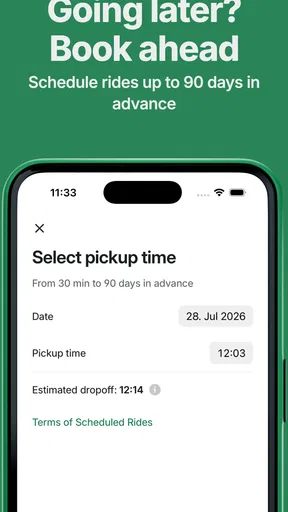
Currently, Bolt primarily operates as an on-demand ride-hailing service, meaning you request a ride when you need it. However, features and services can vary by location, so it's best to check the app for any updates or additional functionalities, such as scheduled rides, that may be available in your area.
